UE5 Crowd Rendering and VAT Conversion Features
Everything you need to convert, place, and control massive crowds of animated characters in Unreal Engine 5.
One-Click Conversion System
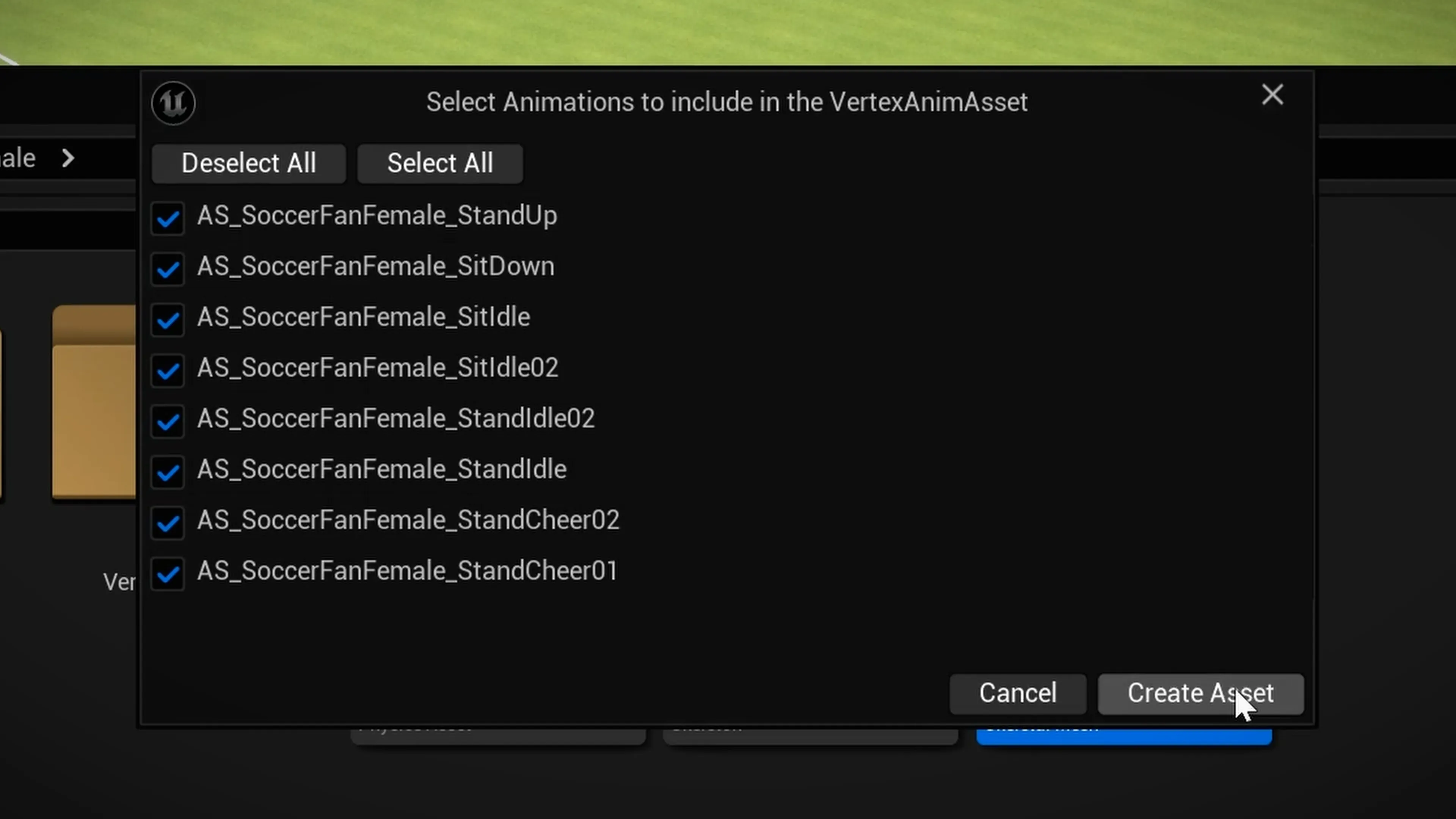
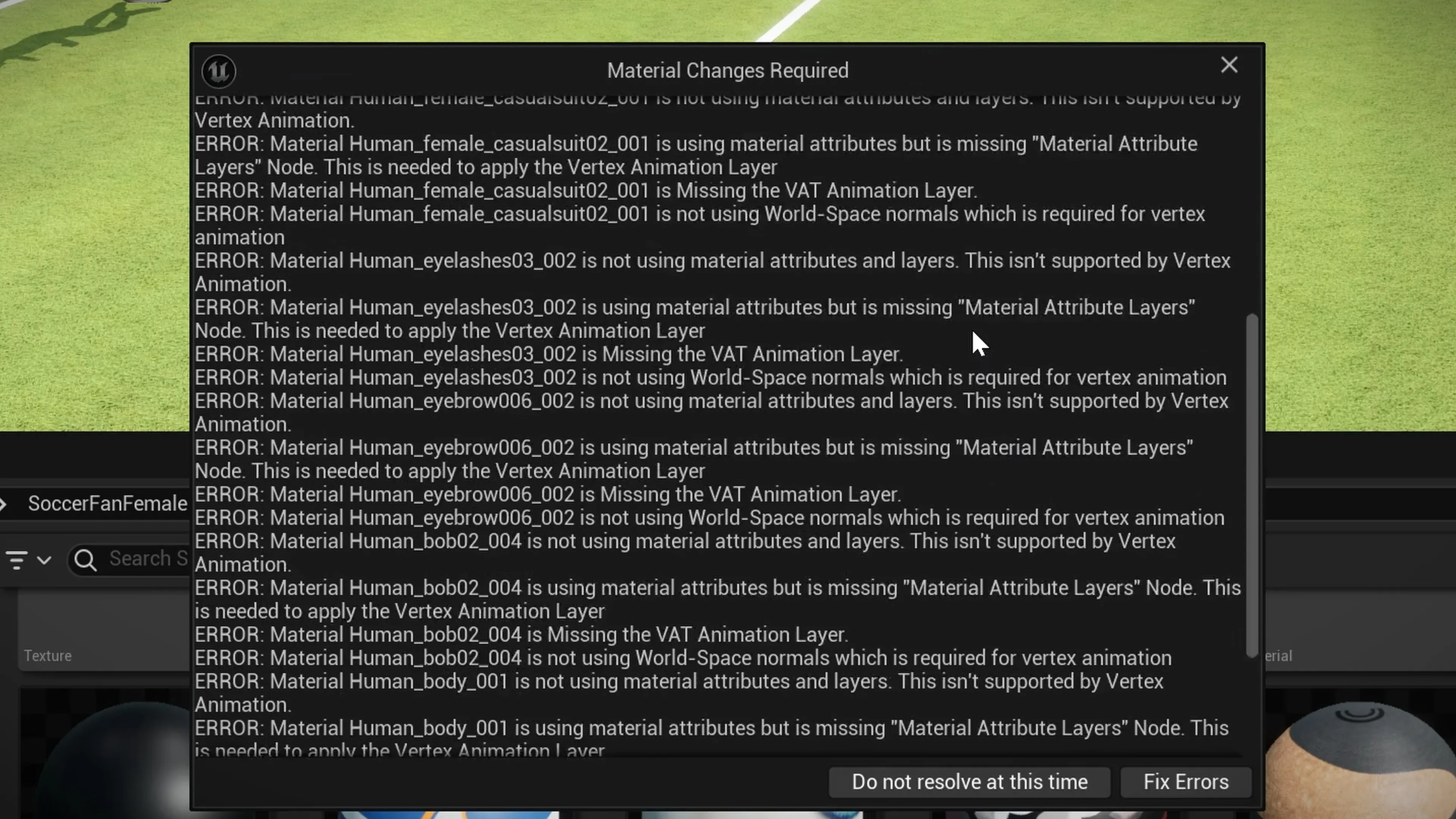
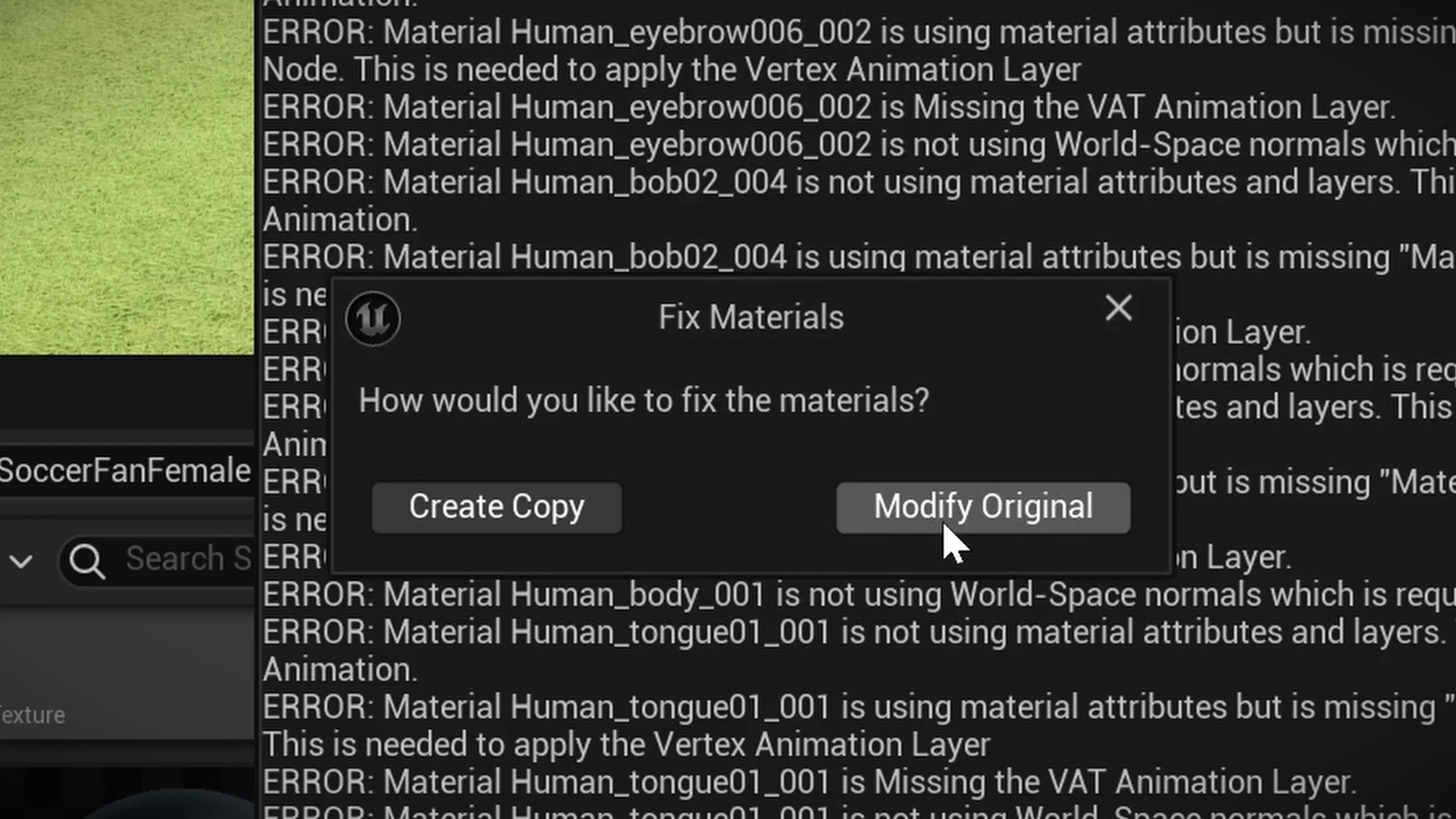
Convert skeletal mesh animations into GPU-efficient Vertex Animation Textures with a single right-click. The plugin generates optimised textures, creates materials, and resolves common material issues automatically.
- Right-click any Skeletal Mesh to create a VA Asset Collection
- Automatic position and normal VAT generation
- Built-in material fix system for reliable conversion
- Batch conversion for multiple animations
Visual Asset Editor
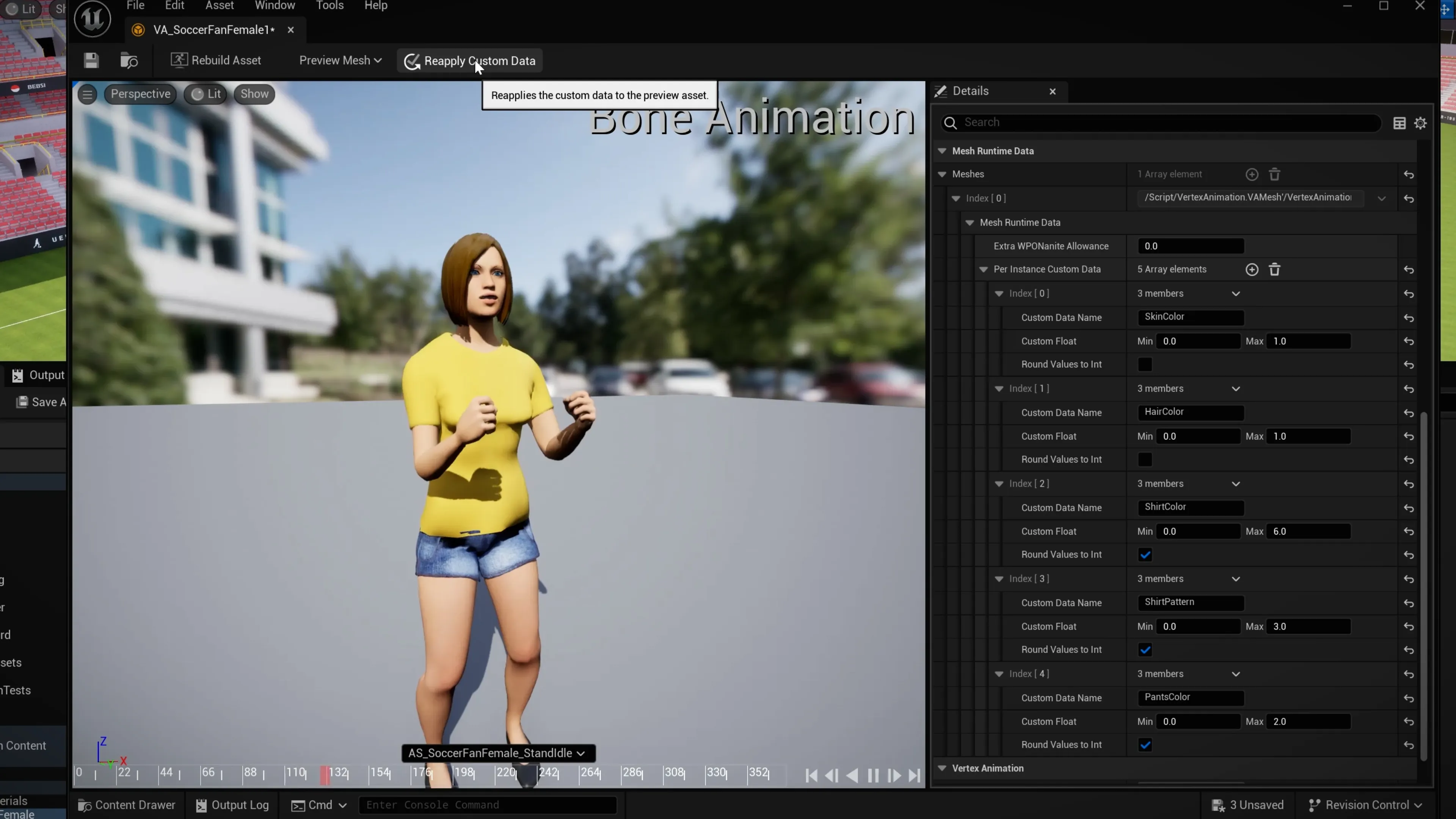
Refine every detail of your vertex animations through a visual editor. Preview animations in real-time, configure build and runtime settings, and manage per-instance custom data.
- Real-time animation preview with timeline scrubbing
- Separate build-time and runtime configuration
- Per-instance custom data for material parameters
- Animation list editor for complex sequences
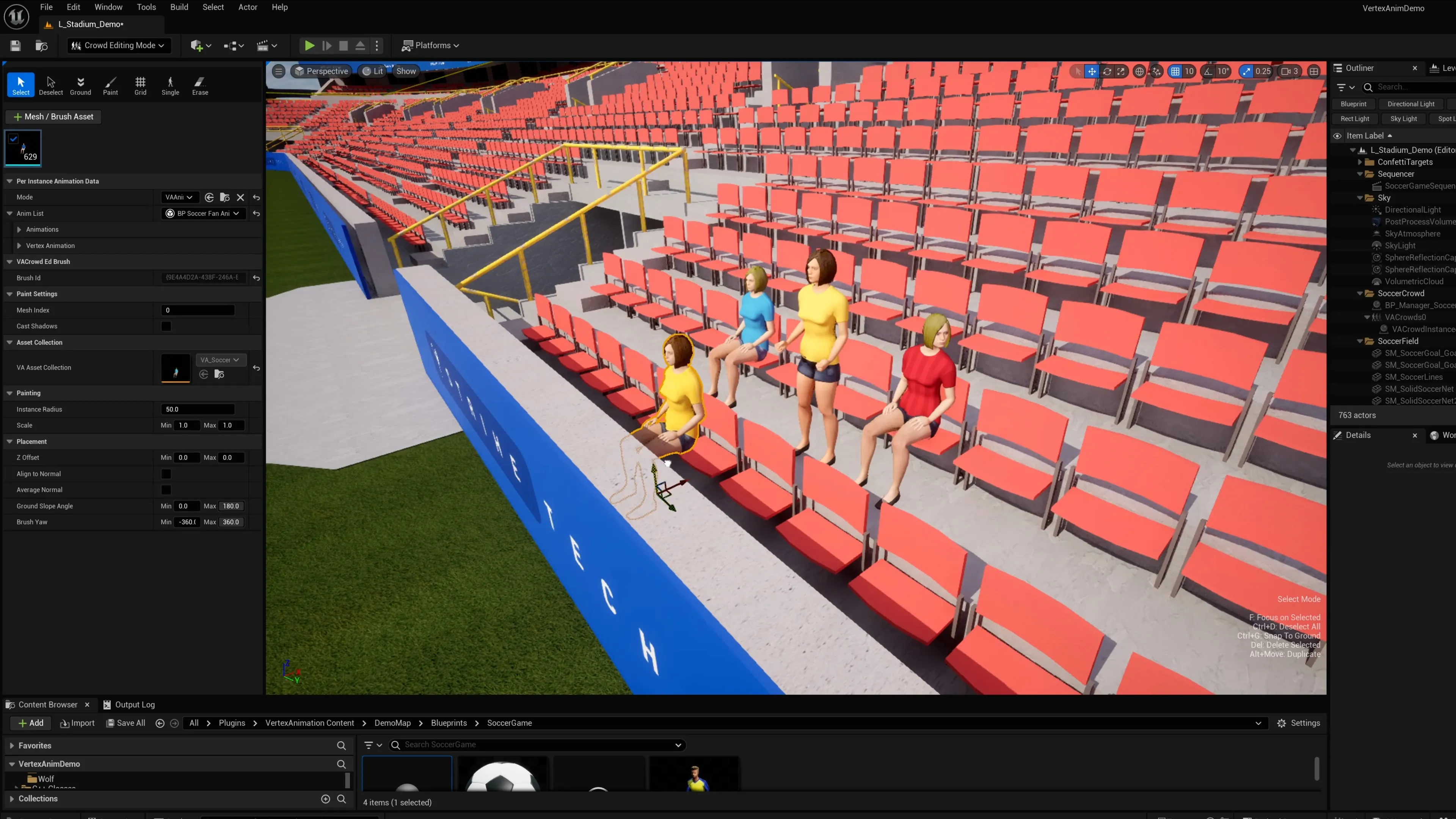
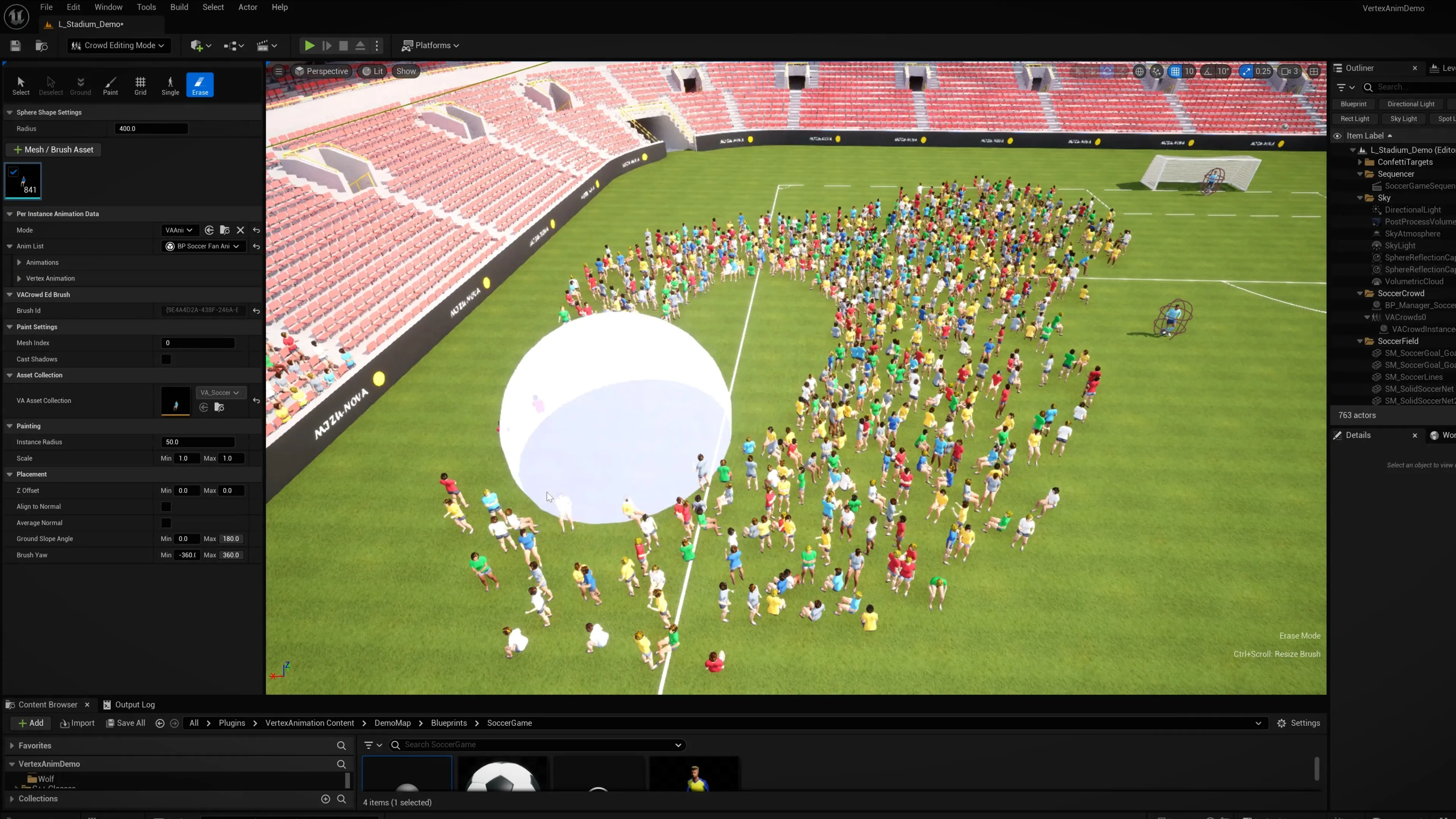
Powerful Crowd Editor
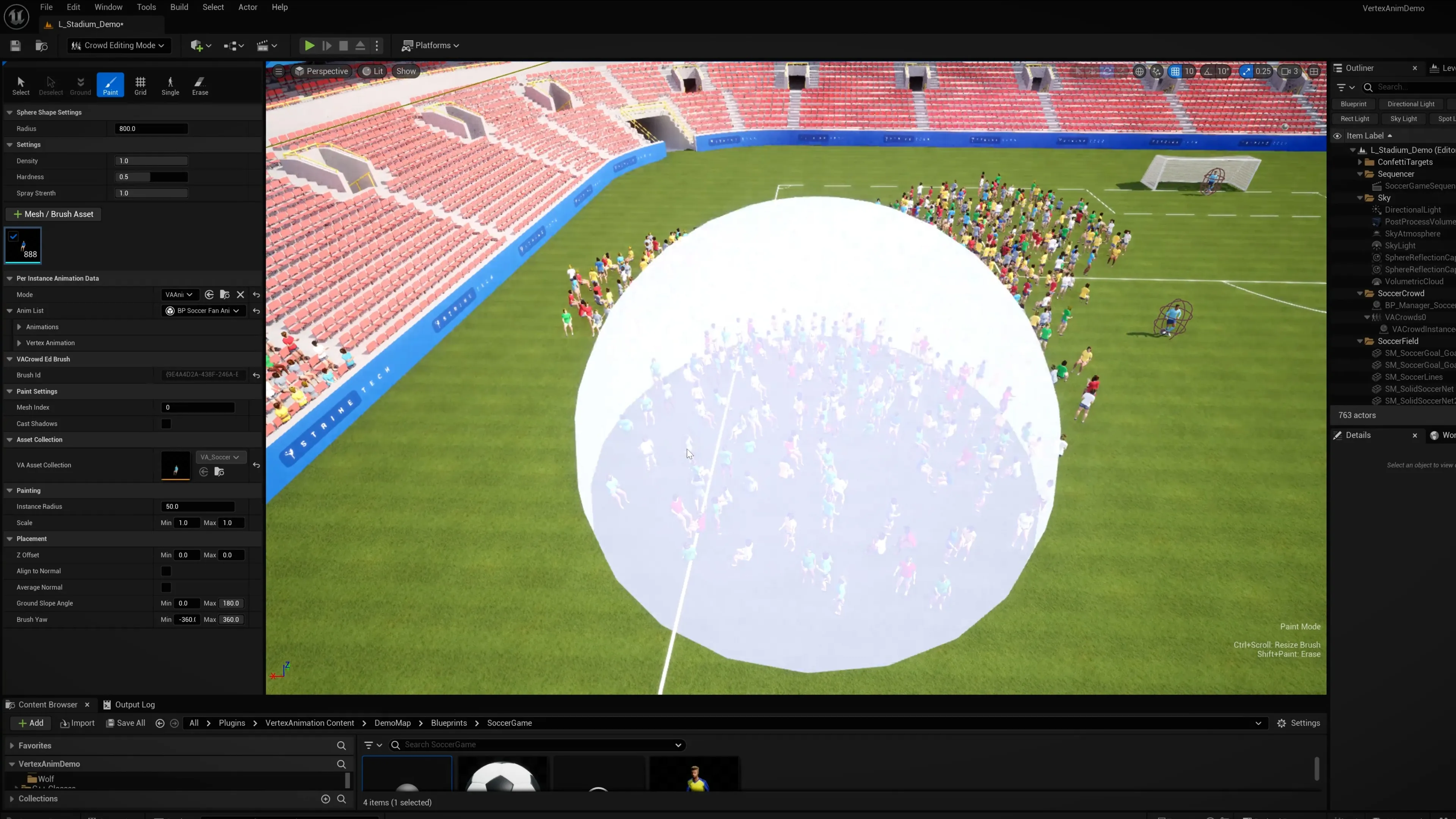
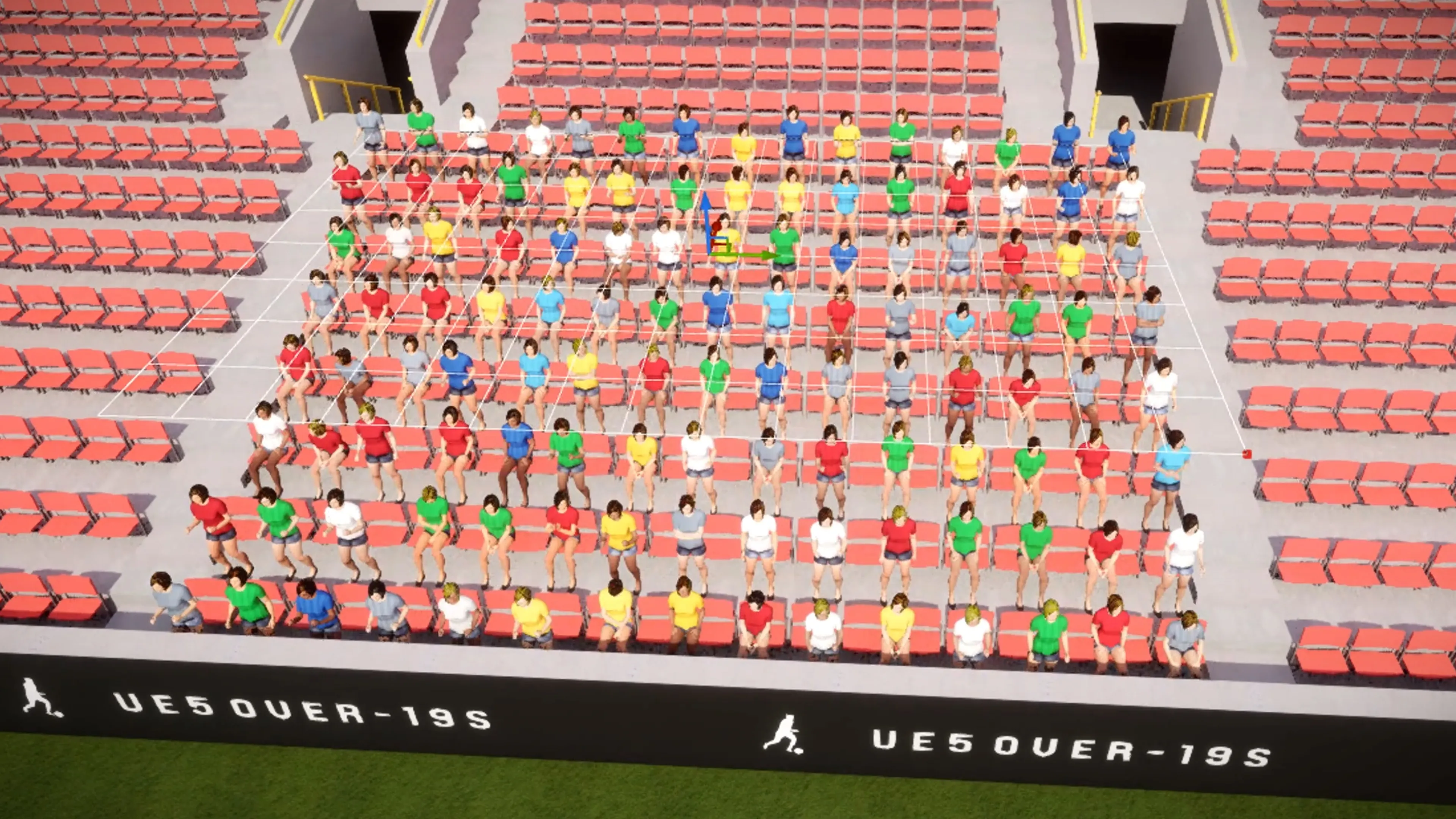
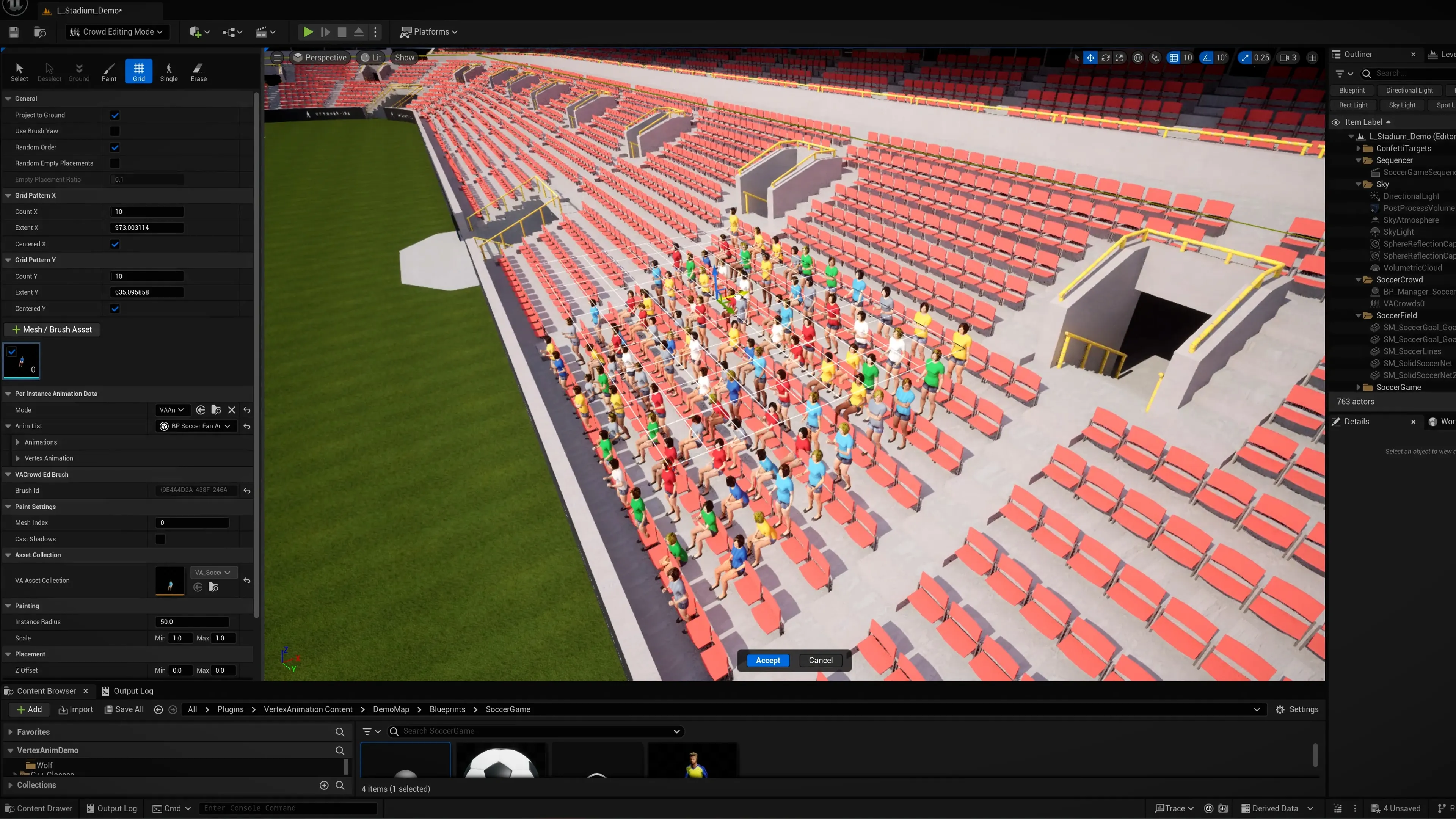
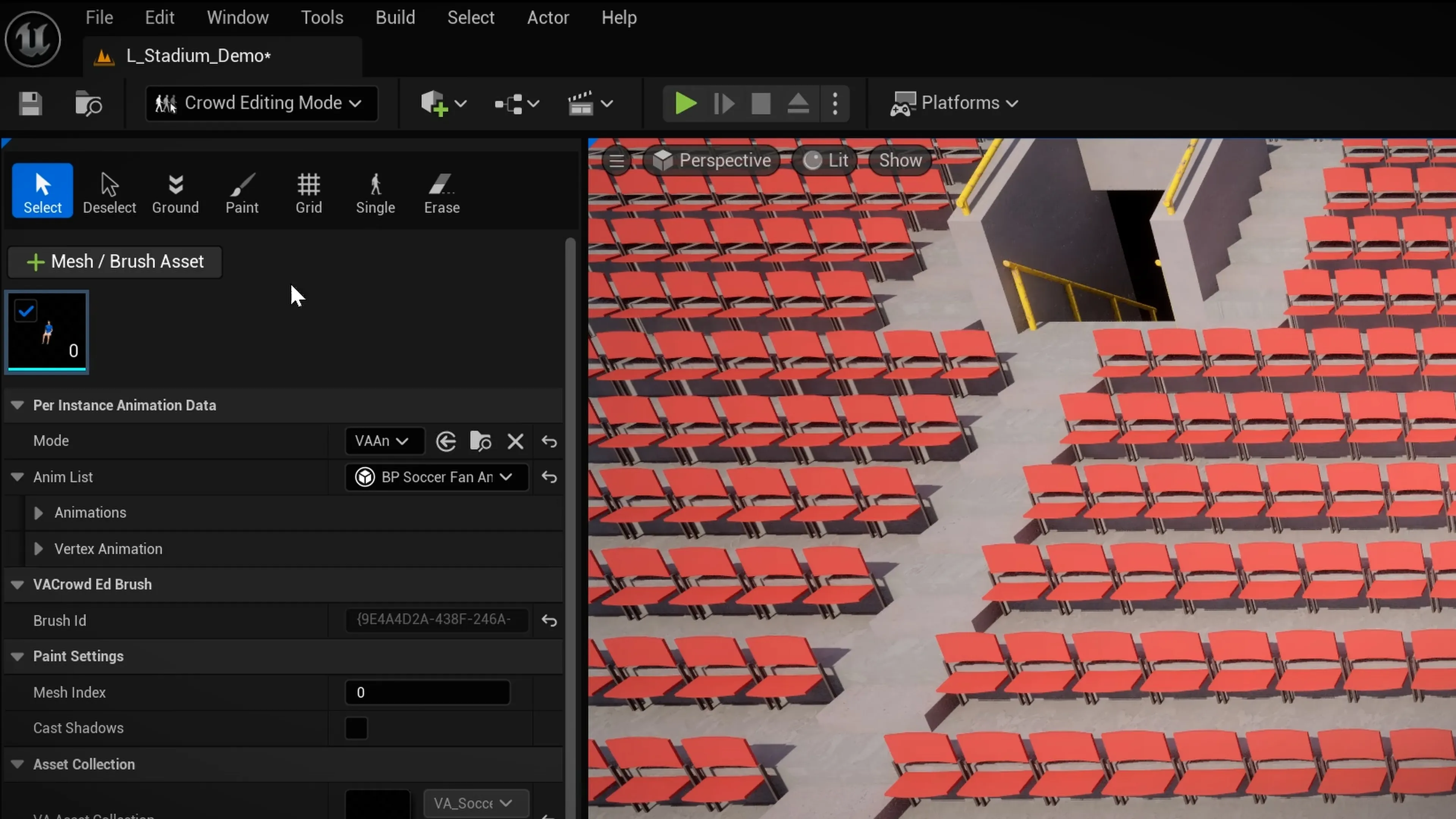
An integrated editor mode for placing and managing thousands of animated characters directly in your Unreal Engine level. Paint, grid-place, or manually position instances with full control.
- Paint Tool: brush-based crowd placement
- Grid Tool: precise formation placement
- Single Placement: manual positioning
- Transform and erase tools for editing
- Saveable crowd brushes with mixed configurations
Flexible Animation System
Manage animations at runtime via Blueprints with single playback, custom event-driven lists, and per-instance control.
- Play single animations with loop and speed control
- Custom Animation Lists with sequenced playback
- Animation events and overrides per-instance
- Crowd events for group behavior triggers
- Full Blueprint API for runtime control
Sequencer Integration
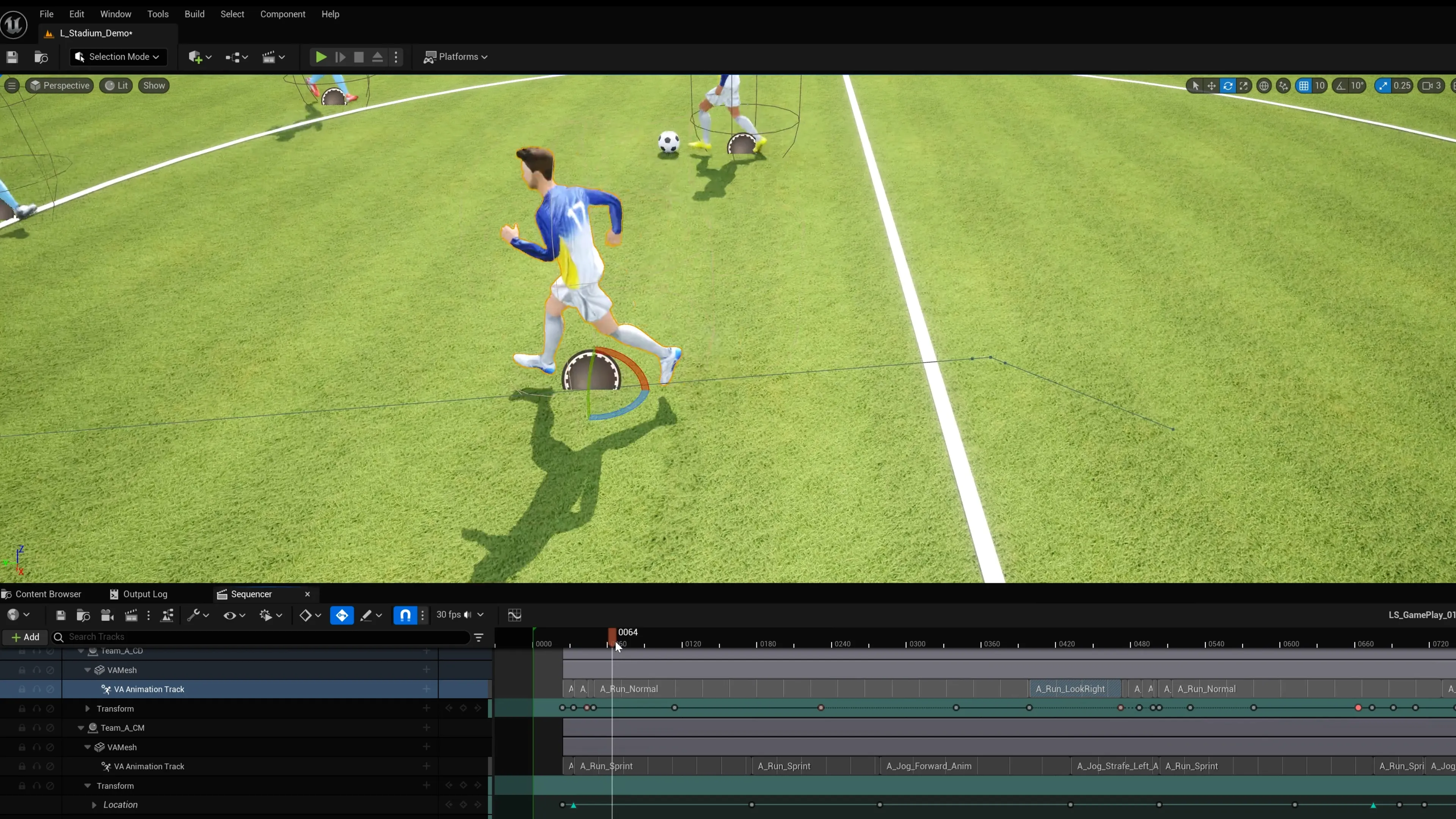
ExperimentalDrive vertex animations through Unreal's Sequencer for cinematic sequences. Control playback, timing, and transitions directly on the timeline.
- Add VA animation tracks to Sequencer
- Timeline-based animation control
- Perfect for cinematics and cutscenes
MCP Support for AI Agents
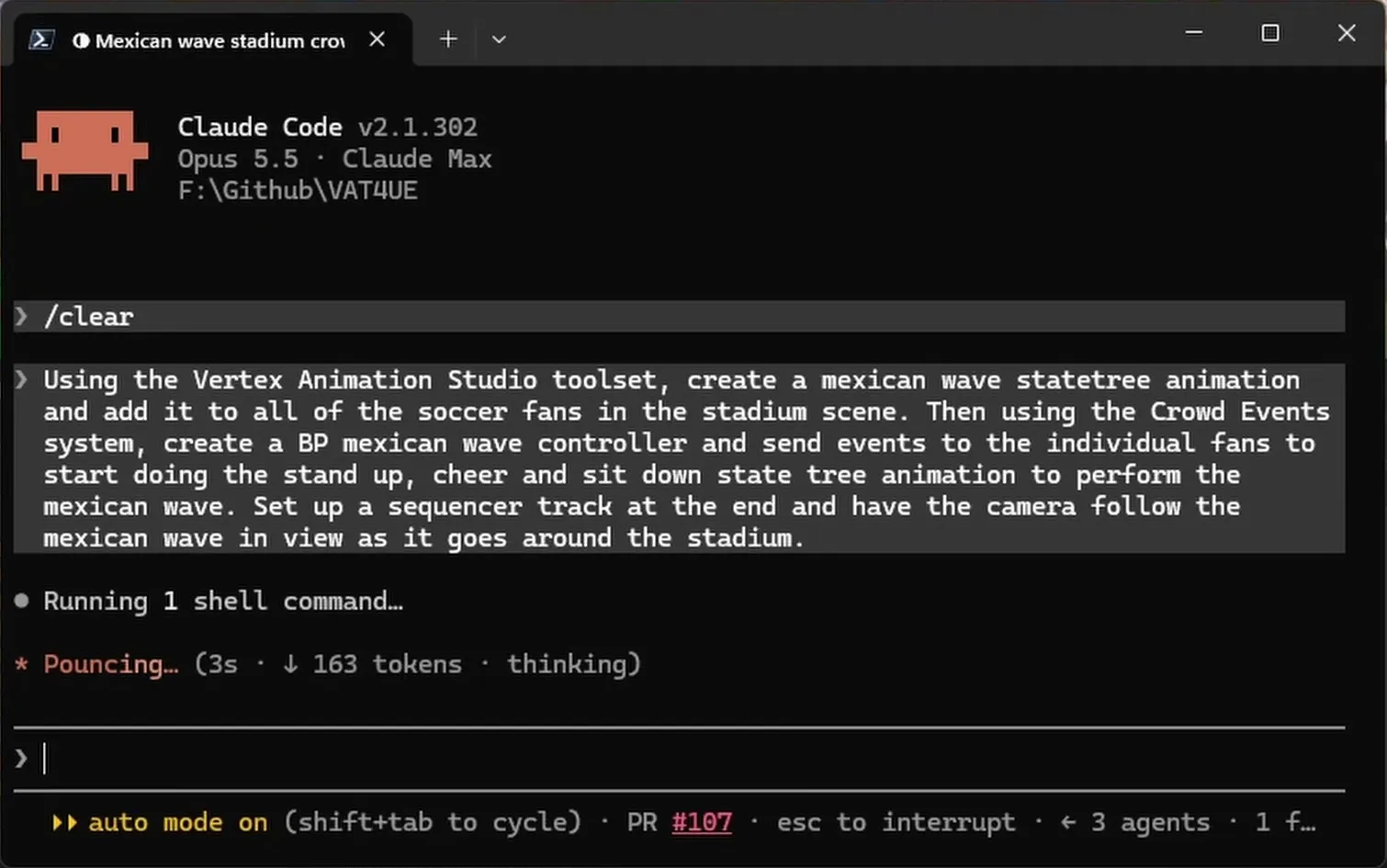
UE 5.8+Vertex Animation Studio ships MCP toolsets for Unreal Engine 5.8 and above. Enable Epic's Unreal MCP plugin and AI coding agents such as Claude Code, Cursor, VS Code Copilot, Gemini CLI and Codex can work with your crowds in the editor.
- Place, fill, erase, move, and duplicate crowds via prompt
- Play animations, adjust playback, and trigger animation events
- Set, read and clear per-instance custom data
- Bake skeletal meshes into asset collections, create brushes, export
- Build, compile and assign complete VAS StateTrees
- Health check for instances that render but will not animate
High performance
Vertex Animation Studio uses GPU instanced rendering on top of Unreal's Hierarchical Instanced Static Mesh (HISM / UHierarchicalInstancedStaticMeshComponent) system, with batched instance transform updates, to draw thousands of animated meshes with minimal CPU overhead and very few draw calls.
- 10,000+ animated instances at 60 FPS
- Built on Unreal's HISM (UInstancedStaticMeshComponent) with batched transform updates
- Animations run from Vertex Animation Textures (VAT) entirely on the GPU
- Zero CPU cost per animation instance
- Tested up to 100,000+ instances
- Compatible with Nanite, Lumen, TSR, World Partition
60 FPS
10,000+ animated instances
Tested up to 100,000+ instances at stable framerates
Stop buying multiple VAT plugins hoping one will work.