
VA Mesh Component
A component that allows playback of a single instance of a VA Asset Collection. Perfect for hero characters or any situation where you need precise control over a single animated mesh, rather than managing multiple instances with the VA Instanced Mesh Component.
The VA Mesh Component inherits from UStaticMeshComponent and uses a modular architecture with separate sub-components for different functionalities.
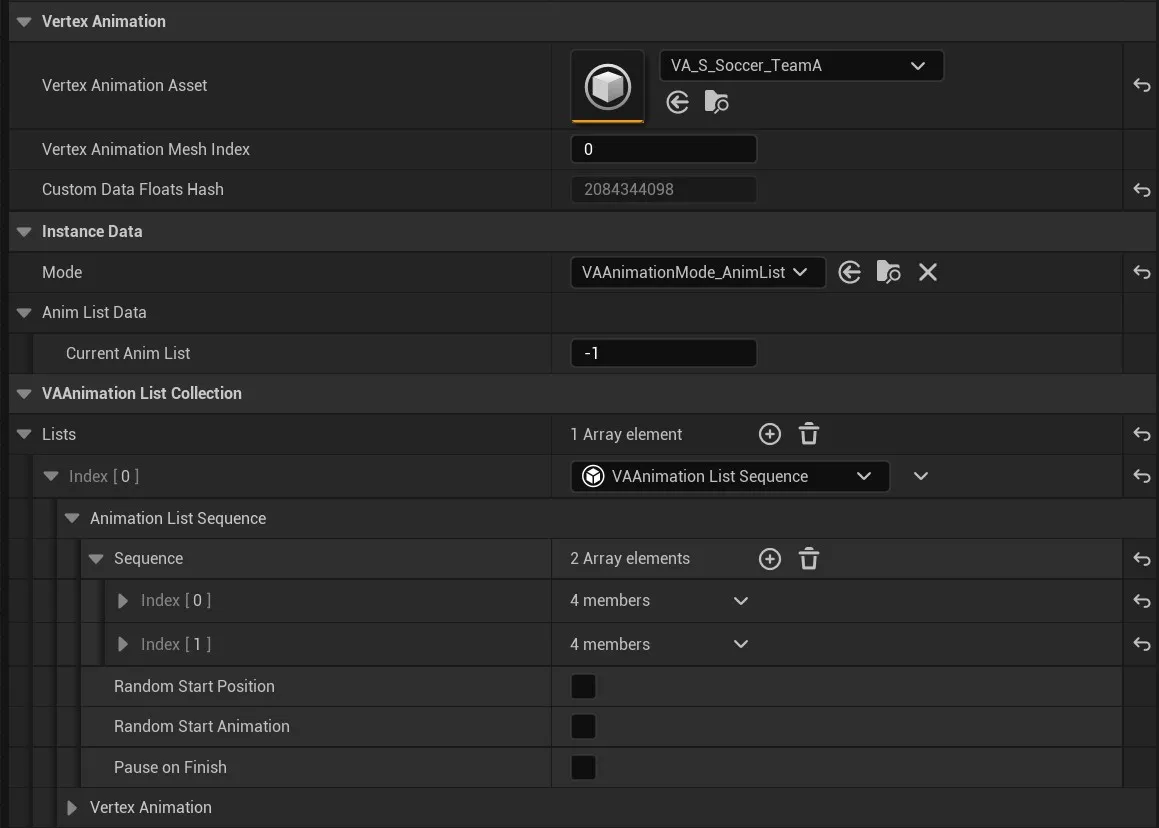
Core Properties
Section titled “Core Properties”
- Vertex Animation Asset: Select your VA Asset Collection containing the mesh and animation data
- Vertex Animation Mesh Index: Select which mesh to use from the asset collection (if it contains multiple meshes)
- Custom Data Floats Hash: Read-only property showing the hash of custom data configurations
Sub-Components Architecture
Section titled “Sub-Components Architecture”The VA Mesh Component uses a modular design with specialized sub-components:
- Animation Lists Collection: Manages multiple animation lists
- Animation Mode Manager: Controls how animations are played (single vs. list mode)
- Instance Data Stores: Manage both persistent and runtime-only animation data
Animation Modes
Section titled “Animation Modes”Single Animation Mode
Section titled “Single Animation Mode”Play individual animations directly from the VA Asset Collection. Use this mode when you need precise control over specific animations.
Animation List Mode
Section titled “Animation List Mode”Play animations through Animation Lists that define playback behavior. Animation Lists can be:
- Sequential: Play animations in order
- Random: Play animations randomly from the list
- Custom Logic: Use custom animation list implementations
Animation Lists
Section titled “Animation Lists”Animation Lists are now
UVAAnimationListobjects that contain:
- Animation References: List of animations from the VA Asset Collection
- Logic Data: Settings that control playback behavior
- Playback Rules: How animations transition and repeat
Animation Control Functions
Section titled “Animation Control Functions”Key Blueprint-callable functions for controlling animations:
PlaySingleAnimation: Play a specific animation from the asset collectionPlayAnimationList: Start playback using an animation listSetAnimationAsset: Change the VA Asset Collection at runtimeSetAnimationMeshIndex: Switch between meshes in multi-mesh collectionsSetAnimationMode: Toggle between single and list animation modes
These functions are provided by the Animation Mode Manager and Animation Lists systems.
For a simpler Blueprint experience, the plugin also provides Blueprint Helper Nodes that wrap these functions and skip the instance handle boilerplate.
See Also
Section titled “See Also”- Getting Started - Understand how components fit into the overall process
- VA Instanced Mesh Component - For managing multiple instances
- Blueprint Helper Nodes - Simplified Blueprint nodes for animation control
- Animation Control - Control animations with Single and AnimList modes
- Custom Animation Lists - Create custom animation behaviors
- VA Asset Collection - The asset type used by this component